
🤖 What is ChatGPT? The Ultimate Full Guide [2026 Edition]
If you’ve been on the internet lately, you’ve likely heard of ChatGPT. But what exactly is it? Is it just a chatbot, or is it something more? In simple terms, ChatGPT is your highly intelligent AI assistant that can write, code, plan, and solve problems in seconds.
Developed by OpenAI, ChatGPT has evolved from a simple text generator into a multimodal powerhouse that can see, hear, and speak. Whether you are a student, a professional, or just curious, this guide will explain everything you need to know.
📌 ChatGPT at a Glance
| Feature | Details |
| Developer | OpenAI |
| Current Core Model | GPT-4o / GPT-5 (Sora integrated for video) |
| Release Date | November 30, 2022 |
| Capabilities | Text, Voice, Image Generation, Data Analysis |
| Availability | Web, iOS, Android, and Windows/Mac |
| Official Website | chatgpt.com |
🧠 How Does ChatGPT Work? (In Simple Words)

ChatGPT is built on a technology called a Large Language Model (LLM). Think of it like a student who has read almost every book, article, and piece of code on the internet.
- Prediction: It doesn’t “think” like a human. Instead, it predicts the next word in a sentence based on patterns.
- Training: It was trained using RLHF (Reinforcement Learning from Human Feedback), meaning humans helped “grade” its answers to make them safer and more helpful.
- Multimodal: In 2026, ChatGPT is “native multimodal,” meaning it processes text, audio, and images simultaneously in real-time.
📊 ChatGPT Free vs. Plus: Which one do you need?
OpenAI offers different tiers depending on your usage. Here is the breakdown:
| Feature | ChatGPT Free | ChatGPT Plus ($20/mo) |
| Model Access | GPT-4o (Limited) | GPT-4o / GPT-5 (Unlimited) |
| Image Generation | DALL-E 3 (Limited) | Unlimited + Advanced Editing |
| Internet Access | Yes (Browsing) | Yes (Priority Speed) |
| Data Analysis | Basic | Professional / Python Coding |
| Custom GPTs | View only | Create and Publish |
| Voice Mode | Standard | Advanced Voice Mode (Real-time) |
🔥 Top 5 Use Cases for ChatGPT in 2026
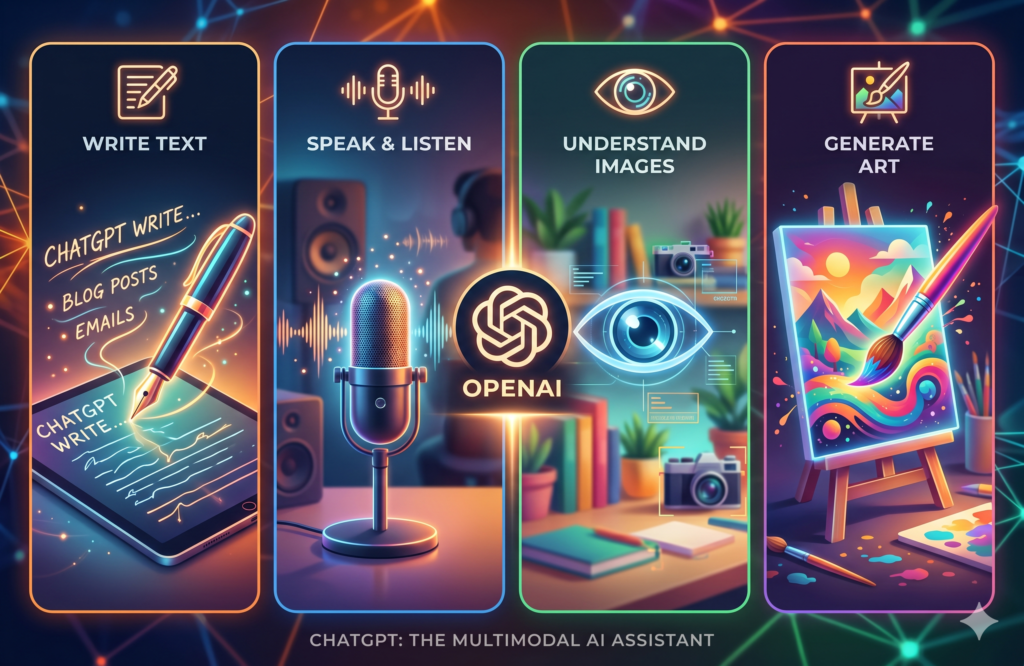
- Content Creation: Write blogs, emails, social media captions, and scripts in any tone (witty, formal, or poetic).
- Coding & Debugging: It can write code in Python, JavaScript, C++, and even find errors in your existing code.
- Personal Tutor: Ask it to “Explain Quantum Physics to a 5-year-old,” and it will simplify complex topics instantly.
- Visual Assistant: Upload a photo of your fridge, and ChatGPT will give you recipes based on the ingredients it sees.
- Language Learning: Engage in real-time voice conversations to practice a new language like Spanish or French.
📝 Step-by-Step: How to Use ChatGPT
- Sign Up: Go to chatgpt.com and create a free account using your email or Google account.
- Enter a Prompt: In the message box, type what you need. Example: “Write a 5-day travel itinerary for Tokyo.”
- Refine: If you don’t like the answer, ask it to “make it shorter” or “add more budget options.”
- Use Tools: Click the paperclip icon to upload PDFs, images, or spreadsheets for analysis.
Frequently Asked Questions (FAQs)
Q1: Is ChatGPT free to use?
Ans: Yes! There is a permanent free version that uses the latest models (with some usage limits). For heavy users, the Plus subscription offers higher limits and early access to new features.
Q2: Is ChatGPT information always 100% accurate?
Ans: While highly advanced, ChatGPT can occasionally “hallucinate” (provide incorrect info). Always double-check critical facts, especially for legal or medical advice.
Q3: Can ChatGPT see my private data?
Ans: OpenAI uses your conversations to train the model unless you turn off “Chat History & Training” in the settings. For maximum privacy, you can use “Temporary Chat” mode.
Q4: Can ChatGPT generate images?
Ans: Yes, through the integration of DALL-E 3, you can describe any image, and ChatGPT will generate it for you in seconds.
🏁 Final Thoughts
ChatGPT is more than just a trend; it is a fundamental shift in how we interact with technology. It is a tool designed to enhance human productivity, not replace it. By learning how to “prompt” correctly, you can unlock a level of efficiency you never thought possible.
🔗 Useful Links:
- Try ChatGPT: chat.openai.com
- OpenAI News: openai.com/news
- Help Center: help.openai.com
If you found this guide helpful, bookmark our page for the latest AI updates and tutorials!