Whether you’re a student preparing for exams, a professional handling remote meetings, or a movie buff looking for an immersive screen, the ₹30,000 price segment is currently the “Golden Bracket.” In early 2026, we’ve seen a massive shift—budget tablets now offer 3K resolution displays, massive 12,000mAh batteries, and even AI-powered note-taking features.
This guide lists the top 10 best tablets under 30000 in India to help you find your perfect digital companion.
Quick Overview: Top 5 Tablets (April 2026)
| Tablet Model | Best For | Display | Battery | Price (Approx.) |
| Xiaomi Pad 7 | Performance | 11.2″ 144Hz | 8850mAh | ₹27,999 |
| Realme Pad 3 | Entertainment | 11.6″ 2.8K | 12200mAh | ₹26,999 |
| OnePlus Pad Go 2 | Multitasking | 12.1″ 2.8K | 10050mAh | ₹27,499 |
| Lenovo Idea Tab Pro | Productivity | 12.7″ 144Hz | 10200mAh | ₹28,999 |
| Redmi Pad 2 Pro | Battery Life | 12.1″ 120Hz | 12000mAh | ₹25,999 |
Top 10 Tablets Under ₹30,000: Detailed Analysis
1. Xiaomi Pad 7 (The Performance King)
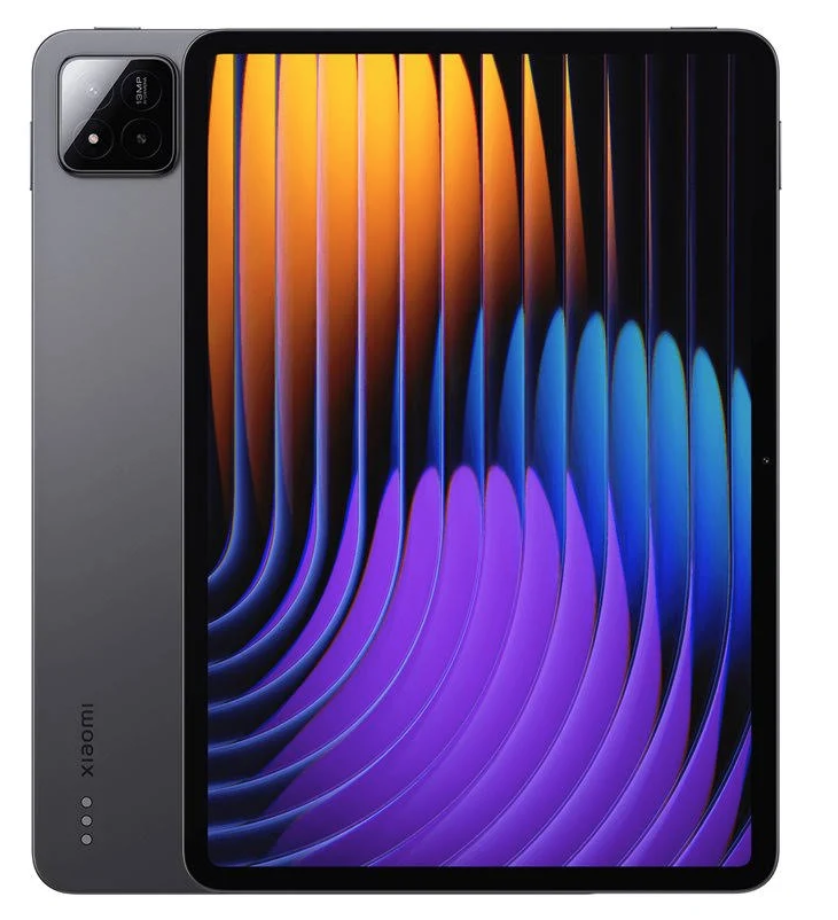
Xiaomi continues its dominance with the Pad 7. Featuring a flagship-grade Snapdragon 7 Plus Gen 3, this tablet is built for high-end gaming and heavy video editing. The 144Hz refresh rate makes every swipe feel butter-smooth.
- Key Feature: Nano-texture display option to reduce glare.
- Official Website: Xiaomi India
2. Realme Pad 3 (Multimedia Powerhouse)
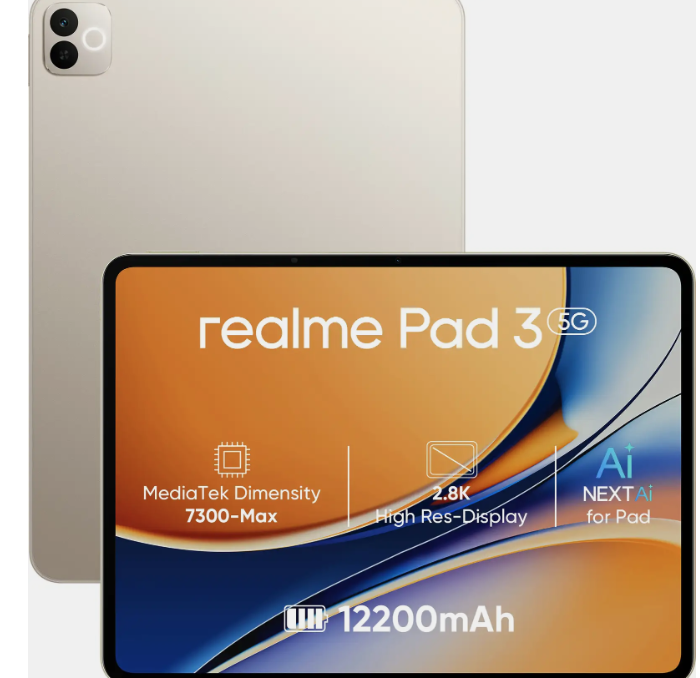
If battery life is your priority, look no further. The Realme Pad 3 packs a humongous 12,200mAh battery that can last for days. Its 2.8K display and quad-speaker setup make it the best for binge-watching Netflix.
- Key Feature: Segment-leading battery capacity.
- Official Website: Realme India
3. OnePlus Pad Go 2 (The Ecosystem Pick)
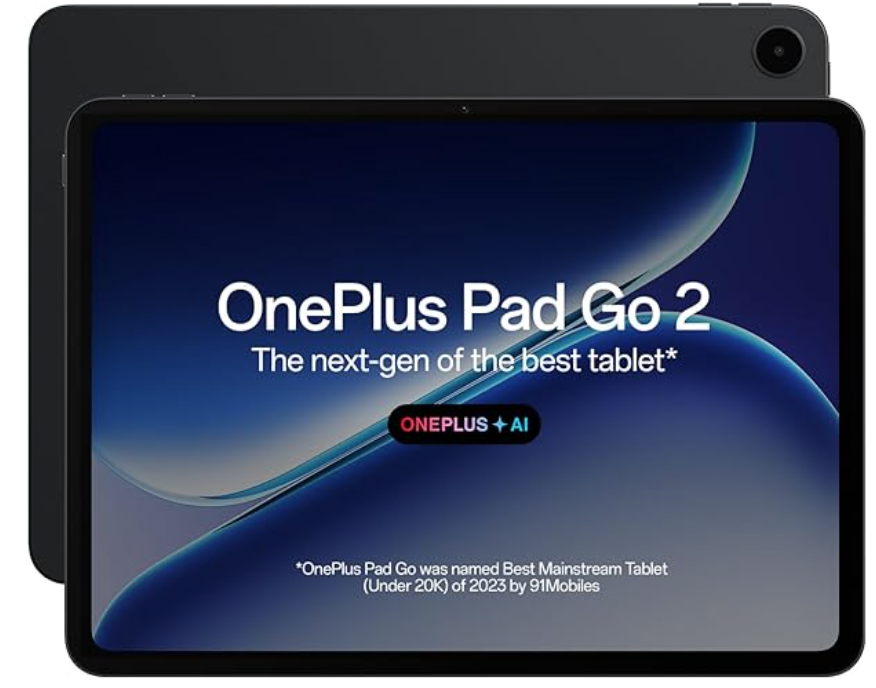
OnePlus has optimized the “Open Canvas” software for the Pad Go 2, allowing for professional-level multitasking. The Dimensity 7300-Ultra ensures it handles multiple apps without a hitch.
- Key Feature: Seamless integration with OnePlus/Oppo phones.
- Official Website: OnePlus India
4. Lenovo Idea Tab Pro (Best for Students)
With a massive 12.7-inch screen, the Idea Tab Pro is almost a laptop replacement. It comes with Google Gemini AI built-in for summarizing notes and “Circle to Search” for easy research.
- Key Feature: Bundled stylus support and AI-driven features.
- Official Website: Lenovo India
5. Samsung Galaxy Tab A11 Plus (Reliability & Security)
Samsung brings its signature Knox Security and 4 years of OS updates to the A11 Plus. It’s a reliable choice for corporate professionals who value data privacy and long-term support.
- Key Feature: Multi-window support (up to 3 apps).
- Official Website: Samsung India
6. Redmi Pad 2 Pro 5G
This is the most affordable 5G-ready tablet on the list that doesn’t compromise on specs. With the Snapdragon 7s Gen 4, it’s future-proof for high-speed internet.
- Official Website: Xiaomi/Redmi India
7. Poco Pad 5G
Known for its aggressive pricing, the Poco Pad 5G offers a clean, ad-free version of HyperOS. It’s a sturdy, well-built tablet for students on a budget.
- Official Website: Poco India
8. Moto Pad 60 Pro
Motorola’s latest entry features a stunning 3K resolution LTPS LCD screen. The 144Hz refresh rate and JBL-tuned quad speakers provide a premium audio-visual experience.
- Official Website: Motorola India
9. Samsung Galaxy Tab S10 Lite (Wi-Fi)
For those who want the “S-Pen” experience without the flagship price. The S10 Lite is perfect for digital artists and note-takers.
- Official Website: Samsung India
10. Lenovo Tab Plus (256GB)
A tablet designed specifically for music lovers. It features a unique kickstand and an enhanced Harman Kardon speaker system that is louder than most budget laptops.
- Official Website: Lenovo India
Detailed Technical Specifications
| Feature | Xiaomi Pad 7 | OnePlus Pad Go 2 | Lenovo Idea Tab Pro |
| Processor | Snapdragon 7+ Gen 3 | Dimensity 7300-Ultra | Dimensity 8300 |
| RAM/Storage | 8GB / 128GB | 8GB / 256GB | 8GB / 256GB |
| Screen | 11.2″ 144Hz LCD | 12.1″ 120Hz LCD | 12.7″ 144Hz LCD |
| Connectivity | Wi-Fi 7 | Wi-Fi + 5G Option | Wi-Fi + 5G |
| Charging | 45W Turbo | 33W SuperVOOC | 45W Fast |
Solving Common Issues for Tablet Buyers
- Issue: “Storage is not enough.”
- Solution: Look for tablets like the Redmi Pad 2 Pro which supports SD card expansion up to 2TB.
- Issue: “The tablet feels heavy.”
- Solution: Opt for the OnePlus Pad Go 2 or Samsung Tab A11, which are designed with slim profiles for one-handed use.
- Issue: “I need it for writing.”
- Solution: Ensure you pick a model with Stylus support (like Lenovo Idea Tab Pro or Samsung S10 Lite). Third-party pens often have lag.
Frequently Asked Questions (FAQ)
Q1: Can these tablets replace a laptop?
For students and light office work (emails, Word, Zoom), yes. For heavy software like AutoCAD or Premiere Pro, a laptop is still better.
Q2: Which tablet has the best camera?
The Xiaomi Pad 7 features a 13MP rear and 8MP front camera with AI-centering, making it the best for video calls.
Q3: Is 5G necessary for a tablet?
If you travel often, 5G is great. If you only use it at home or in a cafe, save money by getting the Wi-Fi only version.
Q4: Do these tablets support external keyboards?
Yes, all these tablets support Bluetooth keyboards, and most (like the Lenovo and Xiaomi) have official magnetic keyboard cases sold separately.
Final Verdict: For pure speed, buy the Xiaomi Pad 7. For the best “all-day” battery, the Realme Pad 3 is unbeatable. If you are a student, the Lenovo Idea Tab Pro with AI features will be your best study partner!